Change Flow
This document describes how changes flow through the Yggy system — from initial request to deployed configuration.
Target flow, not the shipped scope
This describes the end-to-end flow Yggy is built towards. Not every stage below corresponds to code in this release; see the note on Architecture for what is published.
Overview
When a user or automation submits a connectivity change, it passes through a series of stages: validation, transformation, versioning, and deployment tracking. The process is designed to be asynchronous and traceable, with every change assigned an operation_id that can be queried for status at any point.
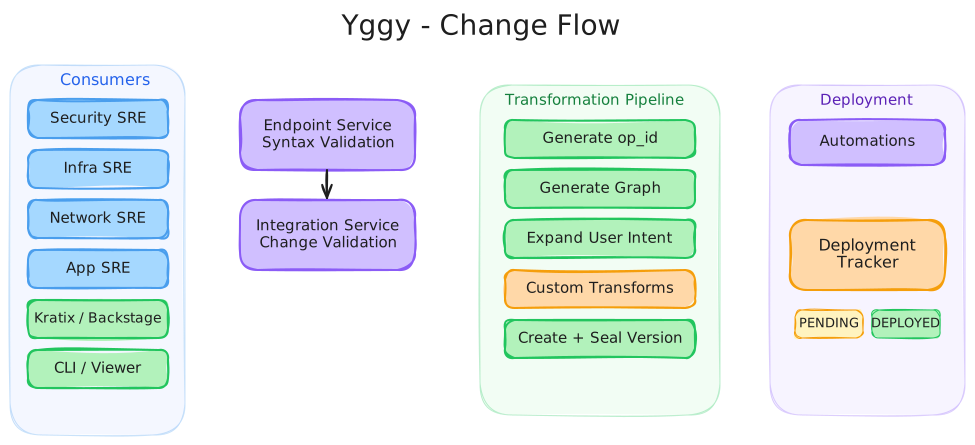
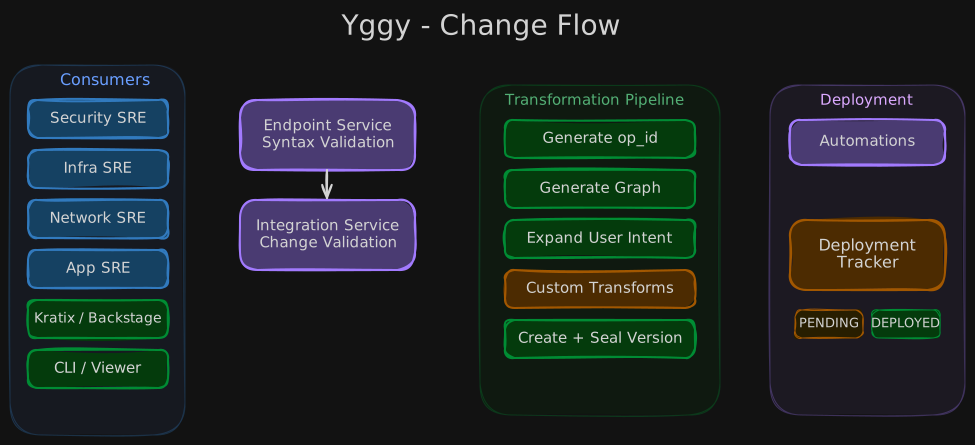
Excalidraw Source
Flow Stages
1. Endpoint Service — Entry Point
All changes enter through the Endpoint Service, which provides the API surface for:
- Direct API calls from SRE teams
- Automation pipelines (Jenkins, Terraform, Robot)
- CLI tool submissions
- Kubernetes Operator reconciliation
- PR-based workflows from Bitbucket
The Endpoint Service performs syntax validation — ensuring the submitted descriptor is well-formed and conforms to the expected schema. Invalid requests are rejected immediately with a 400 response.
2. Integration Service — Change Validation
Valid requests are forwarded to the Integration Service, which performs deeper change validation:
- Checks that the change is consistent with existing descriptors
- Validates against governance policies and security guardrails
- Ensures no conflicting changes are in progress
- Verifies that the referenced infrastructure exists in the topology
If validation fails, the request is rejected with a 400 response and detailed error information.
3. Transformation Pipeline
Once validated, the change enters the Transformation Pipeline — the core of Yggy's declarative connectivity model:
Generate Operation ID
An operation_id is generated to track this change through the entire lifecycle. This ID is returned to the caller for asynchronous status queries.
Generate Connectivity/Topology Graph
The system computes the updated connectivity and topology graphs based on the change.
Expand User Intent
User-level intent declarations are expanded into concrete connectivity requirements. For example, "Service A must reach Service B" becomes specific network rules across the relevant infrastructure components.
Specific Transformations
The pipeline supports injection of organization-specific transformations. This is where company-dependent logic can customize the standard transformation process without modifying the core system.
Create New Version
A new version of the affected descriptors is created, capturing the full state after the change.
Seal Version
The version is sealed — finalized and immutable. Sealed versions form the audit trail and can be used for rollback.
4. Deployment
The sealed version is published to the automation layer:
- Provider-specific configurations are generated (Azure, Google, Palo Alto, OVN)
- Configurations are deployed to target infrastructure via the respective automation services
- The Deployment Tracker monitors the rollout
5. Deployment Tracker — Status Tracking
The Deployment Tracker maintains the status of each operation:
| Status | Meaning |
|---|---|
PENDING | Change has been accepted and is queued for deployment |
IN PROGRESS | Deployment is actively being applied to infrastructure |
DEPLOYED | Change has been successfully applied to all target infrastructure |
Callers can query the status at any time using the operation_id:
Async Integration
The change flow is inherently asynchronous. After submitting a change, the caller receives:
- An immediate response with the
operation_id - The ability to poll for status updates
- Optional notifications when status transitions occur (via webhooks or event bus)
This design allows Yggy to handle long-running deployments across multiple infrastructure components without blocking the caller.
Consumers
The change flow supports multiple consumer types:
| Consumer | Interaction Pattern |
|---|---|
| Security SRE | Defines security policies and guardrails |
| Infra SRE | Manages infrastructure configurations |
| Network SRE | Handles network topology and routing |
| Application SRE | Declares application connectivity intent |
| Automation (Robot) | Automated end-to-end deployments |
| Kratix / Humanitec / Backstage | Platform orchestration integration |
| Yggy CLI | Command-line operations |
| Yggy Viewer | Visual monitoring of change status |
Further Reading
- Why Yggy? — The problem Yggy solves
- Core Concepts — Descriptors, intent, and declarative connectivity
- Architecture — System architecture and service components
- Wiki Home — Back to the wiki